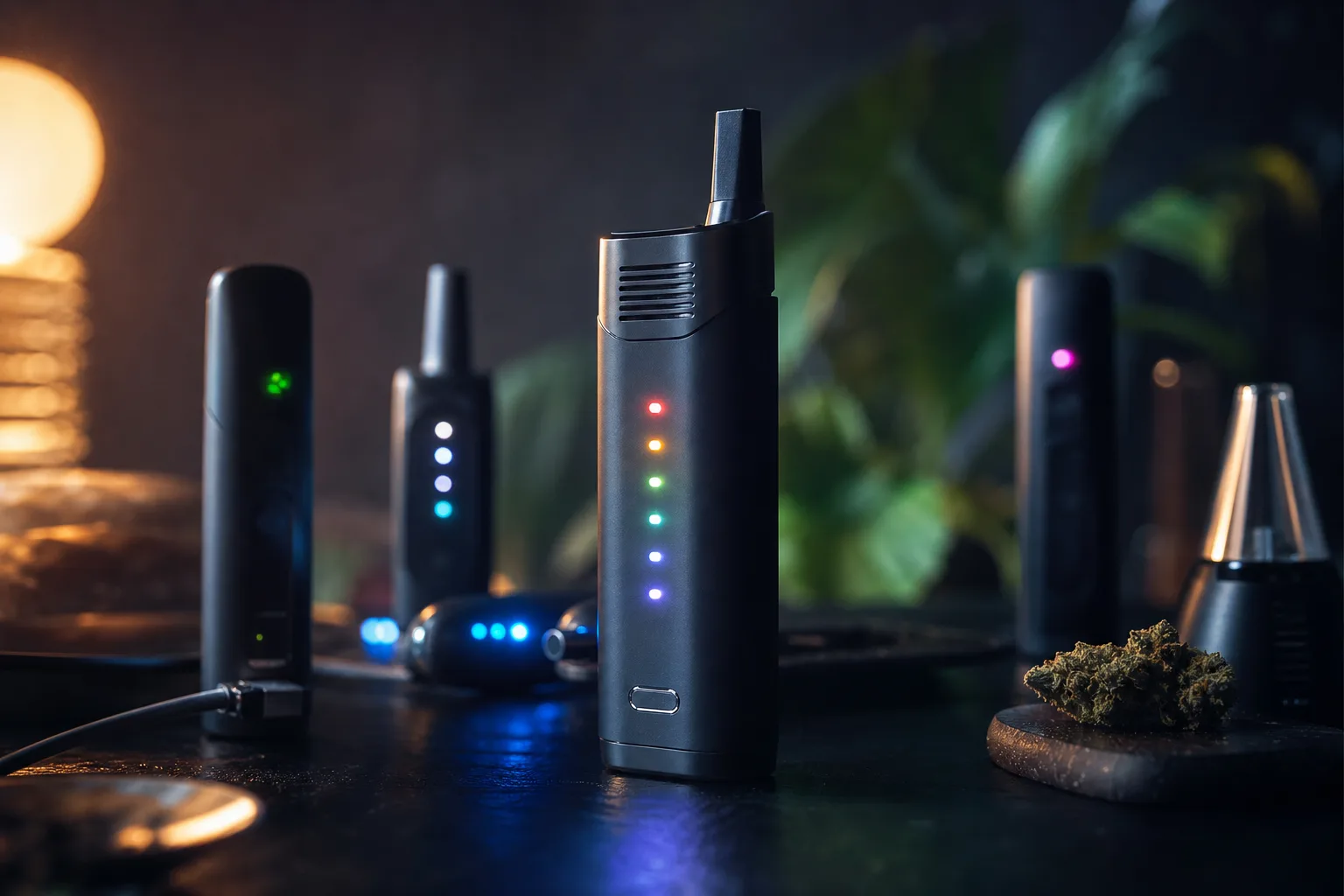
Vaporizer Blinking Light Codes Explained
Your portable vaporizer flashes instead of producing vapour just as you settle in for a session. You might reach for the charger, reseat the cartridge, or wonder whether the device is safe to use. The colour, pattern, and timing of the flashes can point to a low battery, a poor connection, a heat limit, or a fault that needs attention.
A blinking light doesn’t always mean the vaporizer is broken. It may be warning you about the battery, a puff-time limit, a loose cartridge, or another protective setting. Watch what happens when you press the button, connect the charger, or take a draw. That small detail often tells you what to check next.
The exact model and timing matter. This guide separates battery, charging, heat, connection, and service signals, then shows you when to stop pressing the button. PlanetHaze provides device information and compatible accessories, but the safest habit is simple: identify your vaporizer, observe when the light flashes, and check its instructions before replacing a cartridge or repeating the activation.
Why reading the blink correctly protects the device and the session
When your vaporizer flashes, treating every pattern as a low-battery warning can waste a cartridge and strain the device. You may keep pressing the button when the real issue is a loose connection, a short-circuit warning, heat protection, or a service fault.
That distinction protects both your session and your hardware. A blinking light often means that the vaporizer has detected a condition requiring a different response. Identify the pattern before replacing parts or trying to activate it again.

A blink is a device status message, not a universal language
Treat the light as a status message, not a shared codebook. CCELL explains that blinking is usually a safety feature that can warn you about problems such as overheating or charging issues.
“Blinking in vape pens is usually a safety feature that informs users of possible problems including overheating or charging issues.”
If the cartridge is not making contact, remove and reseat it. If the device signals a short circuit, stop using it. An overheating cutoff needs cooling time, while a persistent service warning calls for the manufacturer’s instructions or support. If airflow also feels restricted, PlanetHaze’s clogged vaporizer airflow checklist fits the same diagnostic workflow.
The 3-, 5-, and 10-flash examples show why counting matters
Some 510-style batteries use 3, 5, or 10 flashes for different conditions. These are common patterns reported for some models, not universal standards. Count the flashes, note when they occur, and compare them with the exact battery or vaporizer manual.
Weak response: “It flashed, so the battery must be empty.” The user keeps firing the device and may replace a working cartridge.
Better response: “The AeroPen flashes 5 times immediately after the cartridge is attached.” That observation points the user toward the model’s connection or protection code before any replacement is ordered.
The practical rule: identify the model before acting
Matching the code to the model first helps you avoid unnecessary cartridge replacement, repeated firing, and abandoning a usable device. PlanetHaze can provide product information and compatible accessories, but its guidance cannot replace the instructions for your exact vaporizer.
Practical rule: Count the flashes, record when they happen, identify your model, and check its instructions before charging, reseating, or replacing anything.
The Four Signal Families Behind Most Cannabis Vaporizer Light Codes
Classify the event before counting flashes. You need four clues: the count, the colour, the timing, and whether the light appears during charging or after you press the fire button.
Your 510 battery, concentrate device, or dry-herb vaporizer may use different sensors and firmware. A colour that signals low power on one model may indicate charging, temperature protection, or a fault on another. The family matters more than the colour alone.

Power and charging signals
- What you are seeing: You may notice a light while charging, after pressing the button, or as the battery approaches its lower limit. Slow pulses often show status, while a firing-time pattern may indicate insufficient operating power.
Connection and short-circuit signals
- What you are seeing: You may get rapid flashes when a cartridge, atomizer, chamber, or coil is not making the expected electrical contact. A loose connection, residue, or incompatible component can trigger this family.
Temperature protection signals
- What you are seeing: Your device may flash after a long draw or several consecutive heating cycles. This temporary interruption usually tells you to release the button and allow the unit to cool, not to keep firing it.
Persistent service-related signals
- What you are seeing: A repeated warning that continues after cooling, charging, or removing the cartridge points toward an internal fault or service condition. Your exact manual takes priority over any generic blink chart.
| situation | better move | why |
|---|---|---|
| The light flashes after pressing the fire button and the device will not heat | Check battery level, then inspect the attached cartridge, atomizer, or chamber | The trigger may indicate insufficient operating power, a connection fault, or an unsafe load |
| The light appears while the device is connected to a charger | Observe the charging pattern and use the specified charging cable or dock | A charging indicator reflects incoming power and may not be the same as a low-battery warning |
| The device flashes after a long draw or several consecutive sessions | Release the button and let the device cool before trying again | A protective temperature cutoff can interrupt heating without indicating a permanent failure |
| The same warning continues with the cartridge removed | Stop using the device and consult the exact model instructions or support | A persistent internal fault is less likely to be caused by the removable component |
When the pattern follows a heating failure, this guide to why a vaporizer stops heating suddenly offers another diagnostic check. The manufacturer’s instructions remain the final reference for your model.
Checks That Identify Cannabis Vaporizer Signals Before You Touch the Device
A blinking light gives you a clue, not a complete diagnosis. Before pressing the button again, note what the device was doing, what was attached, and when the pattern appeared.
Pause first. Your count, timing, and surrounding conditions can separate low power from poor contact or heat protection. That short observation prevents a guess from becoming a new fault.

Count the flashes and record their rhythm
Watch one complete sequence and count every flash before touching your 510 battery, dab pen, or dry-herb unit. Note whether the flashes are rapid, evenly spaced, grouped, or followed by a longer pause. If you can, record the pattern on your phone so you have the exact sequence when checking the model manual.
Separate firing lights from charging lights
Check whether your device is plugged into a cable or dock. A light that appears only during charging may show normal charging status, while a light that appears when you press the fire button points toward power, contact, heat, or a service warning. Note whether charging changes the colour or rhythm.
Check the attached cartridge, atomizer, or chamber
Look at what your device is carrying when the signal appears. If the light starts only after you attach a cartridge, atomizer, or chamber, power down before removing it and inspect the contact path for residue, misalignment, or visible damage. Airflow symptoms may need a separate check, and this Checklist for Clogged Vaporizer Airflow fits that diagnostic workflow.
| symptom | likely cause | first fix |
|---|---|---|
| Several rapid flashes occur when the fire button is pressed, followed by no heat | Low operating power or a power-related warning | Check the battery level and charge according to the model instructions |
| The device flashes only when a cartridge or atomizer is attached | Poor contact, misalignment, or an incompatible load | Power down, remove the component, inspect the contact path, and reseat it gently |
| The light flashes during charging | Normal charging status or a charging-circuit issue | Confirm the cable or dock is approved and observe whether the pattern changes as charging progresses |
| The light appears after a long draw or repeated heating cycles | Temperature protection or puff-time cutoff | Release the button and allow the device to cool before retrying |
| The same code remains after charging and removing the attached component | Persistent device fault | Stop using it and consult the exact manual or model-specific support |
Note heat, smell, and repeated fault behaviour
- Temperature: Stop pressing the button if your device becomes unusually hot.
- Smell: Stop using it if you notice a burnt smell that does not come from the material.
- Damage: Do not continue with cracked housing, a swollen battery, or damaged charging hardware.
- Record: Write down the exact model, flash count, colour, timing, charging state, and attached component before searching for a replacement part.
Worked Example: Interpreting 3, 5, and 10 Flashes on a 510 Battery
A 510 battery’s flash count gives you a starting point, not a guaranteed diagnosis. The useful question is what the battery was trying to do when the light appeared: fire a cartridge, detect its contacts, or supply power during charging.
Lookah explains that blinking may relate to the battery or coil, with a low or dead battery among the most common causes. Match the count with the timing, attached cartridge, and battery response before replacing anything.

Three flashes: investigate a short-circuit condition
Three flashes during firing commonly point toward a short circuit. The battery may detect an unsafe electrical load between the centre contact and the cartridge coil, then stop firing to protect its circuit.
Remove the cartridge before pressing the button again. Inspect the 510 threads, centre contact, cartridge base, and housing for oil, leakage, bending, or visible damage. Do not keep testing a device that becomes hot or smells burnt.
Five flashes: investigate the connection path
Five flashes commonly indicate that the battery cannot establish a clean connection with the attached component. The cartridge may sit too low, the threaded area may be dirty, or the centre contact may not meet the cartridge base correctly.
Use a gentle reseat rather than tightening harder. A weak move is forcing a leaking cartridge down until the battery flashes again. Strong move: remove the cartridge, wipe the contact area with the method approved for your model, and reinstall it without pressure.
Ten rapid flashes: investigate power or charging
Ten rapid flashes commonly signal insufficient power or a charging-related condition on some 510 batteries. Your battery may lack enough charge to heat the coil, or its charging circuit may be reporting a problem.
Check the battery level, charger connection, and charging hardware before trying another draw. Some models use the same count for charging conditions, so the moment of the flashes matters.
| situation | better move | why |
|---|---|---|
| Three flashes on a 510 battery during firing | Stop firing, remove the cartridge, and inspect for damage, leakage, or a contact issue | This pattern commonly points toward a short circuit, but the manufacturer may assign it differently |
| Five flashes on a 510 battery after pressing the button | Remove and gently reseat the cartridge, then inspect the threaded contact area | This pattern commonly indicates a connection problem between the battery and attached component |
| Ten rapid flashes during an attempted session | Check the battery level and charging setup before trying another draw | This pattern commonly signals a power or charging issue on some 510 batteries |
| The same count has a different colour or trigger moment on another model | Use that model’s manual rather than copying the 510 chart | Blink counts, colours, and timing are programmed by the manufacturer |
Why the device manual overrides a generic code
Manufacturers can assign the same count to different faults. Your battery, 510 threads, centre contact, cartridge coil, and charger form separate failure points, so the exact model manual controls the interpretation.
How Cannabis Vaporizer Charging, Overheating, Connection, and Service Warnings Differ
A blinking light can mean the battery is receiving power, lacks enough power to heat, or has stopped the circuit for protection. You get the right fix only when you match the signal with what your vaporizer was doing.
Count, colour, and timing still matter. The model manual is the final authority because the same number of flashes can describe different faults on different devices.
Low battery versus active charging
A charging indicator reflects incoming power while your device is connected to its cable or dock. A low-battery warning appears during use when the battery cannot provide enough operating power for the heater.
PAX states that low battery makes the ERA PRO petals blink three times before shutdown, with the petal turning red. That example shows why you must read the colour and trigger together, not count flashes alone.
“Low battery causes the petals to blink three times before powering down, and the ERA PRO petal also turns red.”
That wording comes from PAX’s ERA lights guidance. You may see a different charging colour or blink rhythm on your own model.
Weak example: You see three flashes while drawing and immediately replace a working cartridge.
Check the power state first: You note whether the device is charging, then recharge it with the manufacturer-approved cable before testing another draw.
Overheating protection after repeated or long draws
An overheating signal means the device has reached a protective temperature threshold. You may notice heating stop, shorten, or refuse to restart until the chamber and battery cool.
This is usually temporary. Release the button, place the vaporizer on a cool, dry surface, and wait before testing it again. Repeated long draws can trigger the same safeguard even when the battery is healthy.
Connection faults at the cartridge or atomizer
A connection warning means the battery cannot confirm reliable electrical contact or detects an unsafe load. Power down or disconnect the cartridge before checking accessible contacts.
Use a cotton swab lightly moistened with isopropyl alcohol, then let every contact dry fully before reassembly. Do not flood the device or scrape contacts aggressively.
Service signals that persist after basic checks
A temporary warning clears after cooling, charging, or reseating the component. A service condition remains after those checks, including when you remove the cartridge or atomizer.
If heat, physical damage, unusual odour, or repeated fault flashes continue, stop using the vaporizer. PlanetHaze support can help identify the model, but its guidance cannot replace the manufacturer’s service instructions.
Where Generic Blink Charts Stop Being Reliable for Cannabis Vaporizers
Once basic charging, cooling, and contact checks have failed, stop treating every flash as a universal code. A 510 battery, a concentrate device, and a dry-herb vaporizer may use the same red light or the same three flashes for entirely different hardware events.
A generic chart can help you form a quick hypothesis. It cannot prove the cause when the device type, sensor system, or removable parts change. The exact model manual remains the safer authority, especially when a warning continues after you remove the cartridge or atomizer.
510 Batteries and Cartridge-Led Faults
On a 510 cartridge battery, you may be dealing with threaded contact, centre-pin alignment, cartridge resistance, or a damaged cartridge. If the light blinks only after you attach one cartridge, isolate that removable component before blaming the battery. Test only a compatible cartridge after inspecting and cleaning the contact points.
| situation | better move | why |
|---|---|---|
| A 510 cartridge battery blinks only when a cartridge is attached | Inspect the cartridge, threads, and centre contact, then test only with a compatible component | The fault may be removable and related to contact, resistance, or cartridge alignment |
| A concentrate device blinks after an atomizer is installed | Check atomizer seating, coil condition, and the device’s specific resistance or connection instructions | Dab hardware may use atomizer and load-detection logic rather than a simple cartridge contact |
| A dry-herb vaporizer blinks during heating or after a long session | Allow it to cool and consult the temperature or session-limit section of the manual | Temperature sensors and puff-time controls can trigger protection independently of cartridge contact |
| A warning persists with all removable parts detached | Stop testing and seek model-specific support | The remaining cause may be an internal sensor, battery-management, or service fault |
Concentrate and Dry-Herb Devices with Temperature Controls
A concentrate device may monitor an atomizer, coil condition, resistance, or a temperature sensor. Your dry-herb vaporizer may instead watch chamber temperature, airflow, puff duration, or battery-management limits. The same blinking colour can therefore signal a disconnected atomizer in one device and heat protection in another.
Colour Codes Versus Counted Flashes
Flash count is useful only with timing and context. A blue light during charging may indicate normal progress on one model, while three blue flashes during a session may indicate a connection warning on another. When colour and count appear to conflict, favour the model manual and the event that triggered the light.
When a Generic Explanation Becomes Unsafe to Rely On
Generic charts work well for a first check because you can find them quickly and compare likely causes. They fail when an internal fault persists with every removable part detached, or when a device has unusual sensors and protection rules. Product information from PlanetHaze can help you identify the exact model when you purchased the device there, but you should still follow the manufacturer’s manual and stop using hardware that shows heat damage, unusual odour, or repeated service warnings.
What Works
- Start with context: Record whether you were charging, heating, inhaling, or attaching a component when you saw the blink.
- Separate parts: Remove the cartridge or atomizer only when the manual permits it, then test the removable component independently.
- Confirm the model: Match the device name and version before applying a numbered chart.
What Fails
- Assuming one code fits all: A flash count from a 510 battery may not apply to a dab device or dry-herb vaporizer.
- Repeating the same test: Continued button presses can prolong overheating or stress a faulty connection.
- Ignoring a persistent warning: A signal that remains with removable parts detached may point to an internal fault.
Blink-Code Troubleshooting Mistakes That Create New Problems
A blink can tempt you to press the button again, tighten the cartridge, or reach for a charger. You may fix the wrong problem while making the original fault harder to read.
A safer response is to stop, count the pattern, and check what changed. The right move depends on whether your device has low power, a poor connection, excess heat, or a service warning.
Mistake: treating every blink as low battery
- What fails: You connect the charger whenever the light flashes, even when the cartridge is loose or the device has detected a short circuit. Charging won’t correct a contact fault.
- What works: You count the flashes and time the pattern, then remove the cartridge or atomizer only if your model instructions permit it. A device that behaves normally without the removable part points you toward the connection.
Mistake: forcing the cartridge past a connection warning
- What fails: You keep tightening a worn, cross-threaded, or misaligned cartridge. Excess pressure can damage threads, shift the centre contact, or leave the cartridge sitting at an angle.
- What works: You power down, remove the cartridge, and inspect the threads and contact area without prying or bending anything. Let the parts sit correctly when reattached. Stop if the warning returns.
Mistake: repeating draws after a temperature cutoff
- What fails: You keep firing after the device flashes during a hot session. Repeated activation can extend the cutoff and strain the battery or heating chamber.
- What works: You release the button, place the vaporizer on a cool, non-flammable surface, and allow it to cool fully. Do not cool it with water or force airflow through a sealed device.
Mistake: ignoring a persistent service signal
- What fails: You clean contacts while the device is powered, keep retrying the same cartridge, or open a sealed battery to investigate. Those actions can create damage or safety risks.
- What works: You power down, let cleaned contacts dry completely, and test only the basic removable-part isolation allowed by the instructions. If the signal persists, stop using the device and follow the exact model support guidance.
Use this quick check before your next attempt:
- Count: You record the flash count, colour, and timing.
- Disconnect: You remove the cartridge or atomizer only after powering down.
- Inspect: You check alignment, threads, residue, and visible damage.
- Dry: You confirm cleaned contacts are completely dry.
- Confirm: You use the exact model instructions, not a generic internet chart.
A five-step way to turn the next blink into a useful answer
A flashing vaporizer does not give you much information by itself. You need the model, operating state, timing, and visible condition before deciding whether to charge, cool, inspect, or stop.
Start with one authoritative page, then record what your device is actually doing. This turns an uncertain signal into a controlled decision without encouraging repeated tests.
1. Identify the device and its operating state
Find the exact model name and generation on the device, packaging, receipt, or manual. Record whether your vaporizer is firing, idle, or charging when the light appears.
2. Count and record the pattern
Watch one complete sequence without pressing the button again. Note the number of flashes, colour, speed, and whether the pattern repeats.
3. Check power, temperature, and connection clues
Write down whether the device feels unusually hot, recently finished charging, or stopped producing vapour. Note whether the cartridge, atomizer, or chamber was attached.
4. Perform only the model-appropriate basic check
Power down before removing an attached component. Inspect the contact path for residue, misalignment, moisture, or visible damage, then reseat the part only if your instructions allow it and the hardware looks undamaged.
5. Escalate persistent or safety-related signals
Stop using the device if the signal persists, the body becomes hot, or you see damage. Use the exact manual or relevant PlanetHaze product page first, then contact PlanetHaze customer support with the model and recorded pattern if you still cannot match the code confidently.
- Model: You have recorded the exact device and generation.
- Pattern: You have counted the flashes and noted colour, timing, and repetition.
- State: You have identified whether the device was firing, idle, or charging.
- Connection: You have powered down before inspecting the attached component and contact path.
- Support: You have stopped when the signal persists or safety concerns appear.
- Identify: Start today with the exact device manual or relevant product page.
- Count: Record one complete flash sequence without repeated activation.
- Compare: Match the pattern to the device’s operating state and temperature.
- Inspect: Power down, remove the attached component if permitted, and check the contact path.
- Escalate: Seek model-specific support instead of guessing when the signal continues.
For help comparing compatible vaporizers, dab devices, glassware, accessories, and maintenance guidance, PlanetHaze offers product support and vaporizer education for Canadian consumers. Put safety and the manufacturer’s instructions first when a device starts blinking.