Why Vaporizer Batteries Drain Quickly and How to Fix It
When you’re asking why vaporizer batteries drain quickly, the cause is often power use rather than a failed cell. High temperature or wattage, repeated concentrate sessions, accidental firing, an active screen or Bluetooth connection, dirty contacts, poor charging habits, extreme temperatures, and normal ageing can all shorten runtime.
Internal batteries, removable cells, and smart vaporizers don’t behave the same way, so check your manual before changing anything. This guide helps you separate settings and idle behaviour from genuine battery failure, then test the likely cause before replacing the device. PlanetHaze offers compatible accessories and support, although compatibility depends on your vaporizer model. If dirty parts are suspected, this guide to cleaning a vaporizer mouthpiece follows the same maintenance process.
Check Power Use Before Replacing the Device
Replacing a working vaporizer can cost far more than a battery check. First separate normal high-power consumption from wasted energy caused by accidental firing, poor contacts, or a setting that stays active in your pocket.
Your device may also be ageing, especially after hundreds of charge cycles, but battery age alone doesn’t prove failure. Check your usage, charging equipment, contacts, temperature, and standby behaviour in that order. You’ll protect your money and spot genuine safety concerns sooner.

How much does high wattage affect vaporizer battery life
Sessions around 60 W, or 80 W and above, use more energy per draw than lower-temperature sessions. Your battery can drain quickly while working normally, particularly during long concentrate sessions or repeated heating cycles.
A dirty contact, loose cartridge, or accidental button press creates a different problem. The battery indicator may fall without producing a useful draw. If the device stops heating suddenly, this guide to why your vaporizer stops heating suddenly follows the same troubleshooting process.
Vaporesso describes modern cells from reputable manufacturers as having a very low defect rate, estimated at about 1 in 10 million. Rare doesn’t mean risk-free.
Vaporesso states that defects in modern quality cells from reputable brands are estimated at around 1 in 10 million.
Weak setting: A concentrate device stays at 80 W for every draw, even when a lower setting produces enough vapour.
Strong setting: A user tests the same extract at 60 W, shortens each session, and checks whether the battery lasts through the expected routine.
What happens when you skip a vaporizer battery diagnosis
You could replace a serviceable battery, charger, or vaporizer when the real issue is a clogged connection or a button pressed inside a bag. PlanetHaze carries replacement batteries and accessories, although compatibility depends on your exact model and battery type.
Stop using the device if you notice unusual heat, swelling, damaged wrapping, or persistent drain while it sits unused. Those signs call for caution, not another charging attempt.
What should you check before buying a replacement vaporizer battery
Practical rule: Before replacing your battery or vaporizer, check power settings, charging equipment, contacts, temperature, and standby behaviour, then replace it only if the drain remains abnormal.
You can complete these checks before spending anything. If the device still loses charge while idle or becomes unusually hot, stop using it and follow the manufacturer’s battery guidance.
Match the Diagnosis to Your Cannabis Vaporizer Battery Type
Start by identifying your hardware. A compact flower vaporizer, an adjustable dab device, and a removable-cell mod can show the same flashing battery icon for very different reasons.
Lithium-ion cells are common in modern regulated and mechanical vaping devices because their energy density supports portable power, according to Vaporesso. That doesn’t mean every cannabis vaporizer uses a user-replaceable cell. The first check depends on the device design.

Internal-battery vaporizers
If your flower vaporizer or concentrate pen has a sealed battery, inspect its screen, indicator lights, Bluetooth connection, and standby behaviour. A smart portable device may continue using power while stored, especially when wireless features or an illuminated display remains active.
Disable unused features, fully power the device off, and check whether the drain continues while idle. PlanetHaze carries compact vaporizers and replacement accessories, but an internal battery usually requires manufacturer service rather than user opening.
Adjustable-temperature and adjustable-wattage devices
Variable-voltage and variable-wattage hardware needs a setting-led diagnosis. Temperature, wattage, coil resistance, and session length all affect how much power each draw consumes. High heat can also make a concentrate session feel short while draining the cell quickly.
Weak example: A concentrate device is set to 25 watts for every draw, even when a lower setting produces usable vapour.
Strong example: A concentrate device moves from 25 watts to 20 watts, then repeats the same five-minute session for comparison.
Replaceable-cell devices and extract pens
With a removable-cell device, separate battery wear from contact or compatibility problems. Check the cell specification, physical condition, wrapping, and fit before testing power settings. Inconsistent output after a cell change is a safety concern, not a reason to keep charging.
Keep loose cells in a dedicated case and isolated from metal objects when you carry them, as Vaporesso advises. A guide to how to pack a vaporizer travel case covers this transport check.
| symptom | likely cause | first fix |
|---|---|---|
| Adjustable flower or concentrate device drains fastest at high temperature or wattage | Higher power demand per draw | Lower the setting one step and repeat the same session |
| Smart portable device loses charge while it is stored | Screen, lights, Bluetooth, or standby features remain active | Disable unused smart features and fully power the device off |
| Replaceable-cell device shows inconsistent power after a cell change | Cell mismatch, poor contact, or damaged wrapping | Stop using it and check the manual, cell specification, and physical condition |
Choose the route that matches your setup
Start with standby settings for a smart internal-battery device, power settings for adjustable hardware, and cell condition for removable-cell equipment. Before opening or modifying any vaporizer, read the manufacturer’s manual and follow its battery guidance.
Prepare the Device and Separate Settings From Battery Failure
Five minutes of preparation can stop you from buying a replacement vaporizer unnecessarily. Before changing a setting or cleaning a contact, establish a baseline showing how the device behaves.
Record temperature, charging, session length, storage conditions, and standby behaviour. These details help distinguish a settings issue from a connection problem or worn battery.

Gather the right charger and cleaning materials
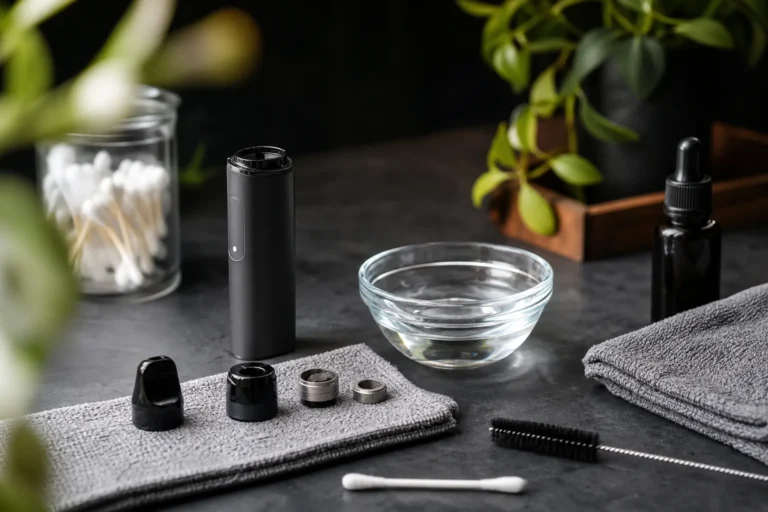
- Approved charger: Have the manufacturer-approved cable or charging dock ready.
- Manual: Keep the device manual available for charging, cell, and cleaning instructions.
- Dry cotton swab: Use a clean, dry swab for accessible contacts and charging ports.
- Compatible replacement cell: Have one only if the device permits user-replaceable batteries and the manual specifies its type.
- Safe surface: Choose a cool, dry place away from direct sunlight, moisture, children, and pets.
Never open a sealed internal-battery device. If you carry your vaporizer through a Canadian winter or leave it in a warm vehicle, let it return to a moderate indoor temperature before charging or testing it.
Record the current settings and session pattern
- Power setting: Record the current temperature or wattage exactly as shown.
- Starting charge: Note the battery indicator before your next session.
- Session pattern: Record the approximate number and length of sessions.
- Storage conditions: Note whether the device stays in a pocket, cold bag, or warm vehicle.
- Standby behaviour: Record whether the screen, Bluetooth, or standby mode remains active.
- Battery age: Note whether the battery has completed hundreds of charge cycles.
Weak example: You leave a dab device at 70 watts and describe the drain as “bad.”
Strong example: You record a Nova Dab Device at 70 watts, six four-minute sessions, and standby active before changing one setting.
Inspect the battery and housing safely
Inspect a removable cell for a firm fit, clean contacts, and intact wrapping. Stop using it if the cell moves loosely, shows damage, or has a torn wrapper. Don’t pry into a sealed device or force a cable into a port.
Choose the settings, connection, or replacement route
Your baseline points to the next step. A settings issue follows unusually high power or active standby. A connection or charging issue follows poor contact or inconsistent charging. A worn battery becomes more likely after heavy cycle use, with no improvement from approved charging and sensible settings.
Run the Battery-Drain Check in the Order That Finds the Cause Fastest
Your baseline shows whether settings, charging, contact, or battery wear deserves attention first. Start with the least invasive change, then repeat a comparable session to see what affects runtime.
Keep the device away from loose pockets, heat, and unattended charging while you test it. A small setting or contact issue can look like a failing battery.

1. Stop accidental firing and idle drain
Lock the button, remove your vaporizer from a pocket or bag, and power it off when you aren’t using it. There should be no warmth, screen activity, or unexpected charge loss while the device sits idle. If it remains warm or drains while switched off, a standby fault or ageing cell becomes more likely.
2. Lower the power or temperature demand
Reduce the temperature or wattage, then repeat a similar flower or concentrate session. You should get comparable vapour with a slower battery drop. If the battery still falls sharply, power demand may not be the only issue.
Weak example: A concentrate session stays at 230°C with repeated long draws, even when the battery drops quickly.
Better example: The same concentrate is tested at 205°C with similar draw lengths, giving you a fair comparison.
3. Disable screens, apps, and standby features you do not use
Turn off decorative lights, extended screen time, Bluetooth, app connections, and boost or standby features you don’t need. The device should sleep promptly and stop showing activity between sessions. Persistent idle drain points toward a fault or worn cell rather than ordinary screen use.
4. Clean and inspect the charging and battery contacts
Power down the device and use a dry cotton swab on accessible contacts. Don’t use liquid, metal tools, or force, especially around a sealed battery. You should see firm contact and consistent charging afterward. If poor runtime continues, the battery or charging circuit may need support.
- Button: Locked before you carry the device.
- Contacts: Dry, clean, and free of visible residue.
- Temperature: Cool while idle and only warm during normal use.
5. Correct charging and temperature conditions
Use the charger recommended for your specific battery or device and choose equipment with the appropriate electrical-safety marks, as Vaporesso advises. Charge on a stable surface while present, and don’t leave cells unattended while charging. Store your vaporizer away from extreme cold and heat.
6. Compare the new battery behaviour with your baseline
Repeat the original session pattern and compare the starting charge, setting, session length, and ending charge. Improvement confirms that a setting, standby, contact, or charging condition caused the drain. If the device remains warm, loses charge while idle, or performs poorly after hundreds of cycles, a worn cell becomes the leading concern.
| symptom | likely cause | first fix |
|---|---|---|
| Battery drops quickly during high-temperature sessions | High power demand from the selected temperature or wattage | Lower the setting and repeat the same session pattern |
| Charge falls while the device is in a pocket or bag | Accidental firing or an unlocked power button | Lock or power off the device before carrying it |
| Device shows poor runtime after normal use | Dirty charging or battery contacts | Power down and clean accessible contacts with a dry cotton swab |
| Device remains warm or loses charge while idle | Standby feature, fault, or ageing cell | Disable standby features, retest, and seek support if idle drain continues |
Adjust the Fix for Cold Storage, Heavy Sessions, and Smart Features
You may follow every charging step and still lose runtime when your use pattern is demanding. Cold pockets, repeated concentrate sessions, hot vehicles, bright screens, and Bluetooth connections all affect the result.
There isn’t one battery-saving rule for every user. Moderate settings suit short portable sessions, while stronger vapour and convenience may justify more frequent charging.
Balance temperature with vapour output
Lower temperature or wattage generally uses less energy, but you may get less vapour or a different flavour. If you use concentrates frequently, a moderate setting with shorter draws may work better than the lowest setting, which can encourage longer sessions.
Weak setting: “Wax mode, 230°C, repeated 15-second draws” may drain a compact dab device quickly.
Try this instead: “Concentrate mode, 205°C, two 6-second draws” can reduce demand while preserving a useful amount of vapour.
Protect the device during Canadian cold and heat
Don’t leave your vaporizer or spare cell in a freezing vehicle or a hot car. Bring the device indoors, let a cold device return to room temperature, and follow the manual before charging it. Sudden temperature changes can also create condensation around charging areas.
If your device uses removable cells, carry unused cells in a dedicated case isolated from keys, coins, and other metal objects. Never place a loose cell in a pocket or bag with those items.
Reduce smart-feature drain without losing useful controls
Screens, lights, Bluetooth, and standby features add convenience, but they also consume power while you aren’t vaping. Keep the controls you use, then disable automatic screen wake, decorative lighting, and wireless pairing when they provide no benefit.
Weak configuration: “Bluetooth always on, screen timeout 60 seconds, LED brightness high” can waste power between sessions.
Use this instead: “Bluetooth off, screen timeout 10 seconds, LED brightness low” keeps essential feedback while reducing idle demand.
Use a second device only when the usage pattern justifies it
If you vape repeatedly throughout the day, carrying a charged spare device may be easier than running one unit hot and recharging it repeatedly. Choose a compatible, complete device or manufacturer-approved battery, not an incompatible loose cell. PlanetHaze offers several device types, although availability and compatibility vary by model.
What works
- Short sessions: Use a moderate setting and stop after the intended draw.
- Cold-weather storage: Keep your device indoors and charge it only at room temperature.
- Smart controls: Turn off features you rarely use.
What fails
- Lowest setting: It may extend runtime while producing vapour too weak for your needs.
- Hot-car storage: Heat can stress the device and its battery.
- Single-device overuse: Repeated hot sessions can leave you charging more often.
Use the Symptom to Choose the First Fix for Your Vaporizer Battery
The visible symptom usually points to the first check. Change one low-risk factor, then compare an equivalent session instead of swapping parts at random.
A setting change, pocket activation, charging problem, or aged cell can look similar. Match the symptom to one first action before replacing the device.
| symptom | likely cause | first fix |
|---|---|---|
| Battery dies mainly during high-temperature sessions | Higher energy use at the selected temperature or wattage | Reduce the setting and compare an equivalent session |
| Charge drops while stored | Accidental firing, standby activity, screen, lights, or Bluetooth | Lock or power off the device and disable unused standby features |
| Charging is unusually slow | Unsuitable cable, charger, power source, or dirty contacts | Use the manufacturer-recommended charging setup and clean accessible contacts |
| Runtime remains poor after cleaning and setting changes | An aged cell, especially after hundreds of charge cycles | Check the manual and contact qualified support before replacing the device or cell |
Battery drops quickly only during powerful sessions
If your device lasts normally at moderate heat but empties during powerful sessions, energy demand is the first suspect. A setting such as “Maximum” may produce excess heat for your draw. Use 190°C or the manufacturer’s moderate setting for an equivalent session, then compare runtime without changing anything else.
- Stop immediately: If your device becomes abnormally hot, smells unusual, or shows physical damage, stop using it instead of testing it again.
Battery drains while the vaporizer is in a pocket or bag
Your device may be firing accidentally when a button is pressed against fabric or another item. Standby activity, a bright screen, lights, or Bluetooth can also consume charge. Lock the vaporizer or power it off before storage, then disable features you don’t use.
The indicator says full but runtime is poor
A full indicator doesn’t prove that your cell still holds its original capacity. If cleaning contacts and reducing settings haven’t helped, an aged cell becomes more likely, especially after hundreds of charge cycles. Check the manual before considering a replacement cell.
Charging is inconsistent or unusually slow
Your cable, charger, or power source may not suit the device. Use the manufacturer-approved charging setup and a suitable power source, then clean accessible contacts gently. If charging remains erratic or the device heats abnormally, contact qualified support rather than testing it repeatedly.
Confirm the Fix With a Repeatable Runtime Check
A higher battery percentage after charging doesn’t prove that your fix worked. Repeat the same session under the same conditions, then compare the result with your baseline.
Keep the test controlled. If the device still drains quickly, you’ll know whether the setting, charging habit, standby feature, or battery remains the problem.
Repeat the same session conditions
Use the same type of flower or concentrate, starting charge, temperature or wattage, and approximate session length. Record the charge before and after, then note whether the device feels unusually warm.
Weak test: You switch from a short flower session at 190°C to several concentrate sessions at 230°C, then compare battery percentages.
Controlled test: You use the same flower, begin at 80% charge, vape at 190°C for five minutes, and record the ending percentage.
Check idle drain and charging behaviour
After the session, turn the device off and leave it idle for the same period used in your baseline. Check that it doesn’t activate in your pocket, lose a noticeable amount of charge while idle, or remain warm without use. Then charge it with the correct cable, adapter, and power source.
- Starting and ending charge: Record both percentages, plus the session temperature or wattage.
- Device temperature: Note whether the body stays cool or becomes unusually hot.
- Accidental firing: Confirm that the device didn’t activate during storage or transport.
- Charging completion: Confirm that the normal charging indicator appears and the cycle completes.
- Repeat result: Run the same test once more if the first result is unclear.
A good result means stable behaviour after the specific change, not a temporarily higher display percentage. If you see persistent rapid drain, unusual heat, swelling, a damaged wrap, or failure to hold charge, stop testing.
Recognize when the battery is no longer serviceable
Don’t charge a non-rechargeable or visibly compromised cell. Vaporesso’s battery safety guidance gives the same instruction. Leaking, damaged, swollen, or exposed cells require qualified support.
Decide whether to replace the cell or the device
For a removable cell, qualified support can confirm whether the cell or charger needs replacement. For a sealed cannabis vaporizer, replacing the device is usually safer than attempting DIY battery repair. If the controlled test still shows rapid drain, arrange support or replace the device rather than continuing to charge a compromised battery.
Start With the Settings Screen, Not the Shopping Cart
A fast-draining vaporizer battery doesn’t always mean the cell has failed. High temperature, accidental firing, standby features, poor contacts, or the wrong charger may be using power before the battery becomes the real problem.
Use one page to record what the device is doing, then make one change at a time. You’ll see whether your settings and habits explain the drain before replacing working hardware.
1. Record the baseline
Write down your current temperature or wattage, how long the device sits idle, and whether its charge falls while unused. You need a clear starting point before changing anything.
Weak record: “Battery drains quickly.”
Strong record: “Vape is set to 220°C, loses charge while idle, and fires inside a pocket.”
2. Apply the least invasive fix
Stop accidental firing, lower the temperature or wattage, disable unnecessary standby features, and clean accessible charging contacts. Use the charger specified for your device, not a convenient replacement with unknown output.
- Firing: Lock the controls before carrying your vaporizer.
- Setting: Test a lower temperature or wattage that still suits your session.
- Standby: Turn off screens, Bluetooth, or idle heating features you don’t use.
- Contacts: Clean reachable connection points according to the device instructions.
- Charging: Use the correct cable, adapter, and charging method.
- Storage: Keep the device away from Canadian winter cold, direct summer heat, and hot vehicles.
3. Retest under matching conditions
Repeat the same session with the same material, setting, and approximate duration. If the battery now holds charge, your usage or connection caused the drain. If the result stays poor, record that comparison before taking another step.
4. Replace only after the checks fail
Persistent poor runtime, swelling, damaged wrapping, abnormal heat, or a cell that won’t hold charge calls for support or replacement. PlanetHaze offers compatible vaporizers and replacement accessories, but a purchase isn’t the first fix when the checks point to settings or charging.
- Start today: Open one page and record your temperature or wattage beside the device’s idle-charge behaviour.
If you need equipment or guidance after testing the device, PlanetHaze provides compatible vaporizers, replacement accessories, and customer support for adult consumers maintaining portable devices or replacing unsafe hardware. Its vaporizer education and product-care articles offer additional help before you choose equipment.